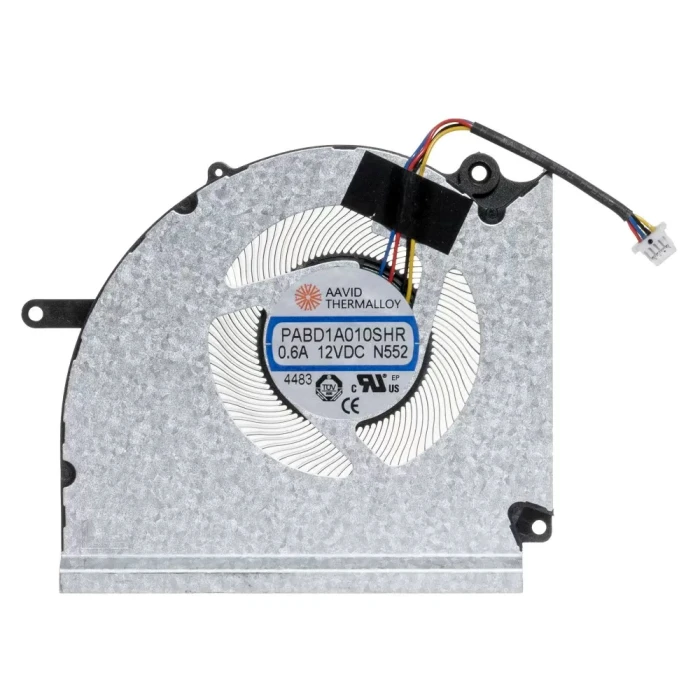

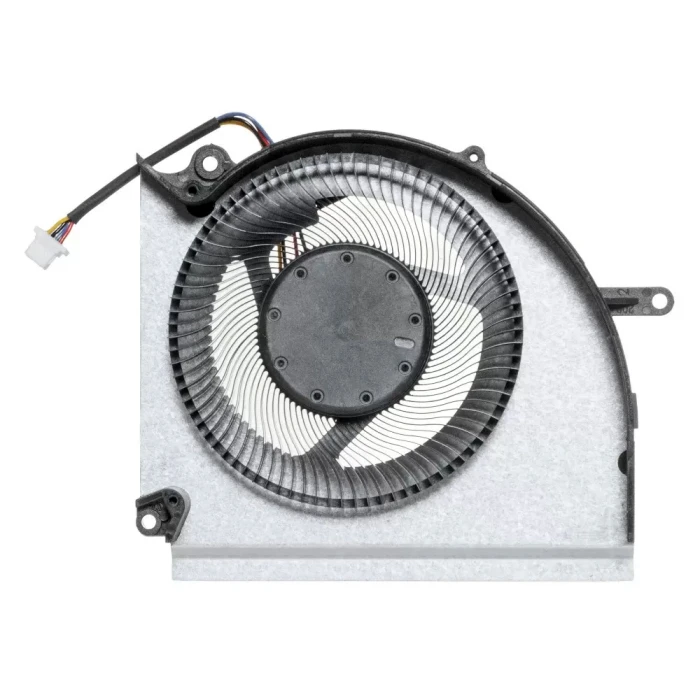
MSI Vector 17 Hx A14v A14vgg A14vhg A13vhg CPU cooling fan system original MS-17S3 MS-17S4

Code: LT-10027489 ✅ Ready to ship HOT
‌EUR € 18.00
Model / PN PABD1A010SHR-N552
Voltage DC12V,0.6A
Interface 4pin
Condition NEW
Location shenzhen,China
Shipping Estimate ship from China Click to detect
Calculate Shipping

Replacement Fan – Brand & Part Number Guide

MSI Vector 17 Hx A14v A14vgg A14vhg A13vhg CPU Fan original MS-17S3 MS-17S4 (Part Number: PABD1A010SHR-N552) is a high‑quality replacement cooling fan engineered for laptop thermal systems. This fan is manufactured to meet the specifications of major OEM brands such as Delta, Sunon, Nidec, AVC, Foxconn, and others. Proper identification of your original fan's brand and part number (PN) is the most reliable way to ensure a perfect match.

Technical Specifications:

  • Part Number / PN: PABD1A010SHR-N552
  • Code: LT-10027489
  • Rated Voltage: DC12V,0.6A
  • Connector Interface: 4pin
  • Product Status: Brand New
  • Warranty: 90‑day replacement

Detailed Specifications

AttributeValue
Compatible part number

PABD1A010SHR N552

Compatible models

Vector 17 Hx A14v

Vector 17 Hx

Vector 17 Hx A13vhg

Vector 17 Hx A14vgg

Vector 17 Hx A14vhg

MS-17S3

MS-17S4

Vector 17 HX AI A2XWJG

Vector 17 HX AI A2XWIG

Vector 17 HX AI A2XWHG 

Why Brand & PN Matter:

  • Different brands, different tooling – even if the voltage and connector look the same, the mounting hole positions, fan blade design, and thickness can vary between manufacturers. Always compare physical appearance.
  • PN is the fingerprint – the part number (e.g., EG50060S1-C710-S9A) uniquely identifies the exact fan model. Matching PN guarantees fitment.
  • OEM vs. Aftermarket – original fans (Delta, Sunon, etc.) are typically more durable and quieter, while aftermarket options offer cost savings for older laptops.
  • Sticker variations – the label may change slightly over time, but the underlying PN remains the key identifier.

How to Identify Your Fan:

  • Remove the fan from your laptop (refer to your service manual).
  • Find the manufacturer's logo (Delta, Sunon, Nidec, etc.) and the full part number printed on the sticker.
  • Compare the connector type, pin count, and wire color with our product photos.
  • Check the voltage (V) and current (A) – these must match your motherboard's fan header.

Still unsure? Take a clear photo of your fan's sticker (top view) and the connector, then send it to our support team. We'll identify the brand and PN for you, and confirm compatibility.

Write a review

Please login or register to review
⚠️ Brand & Part Number (PN) Compatibility Check
Your replacement fan must match the original fan's brand, part number, voltage, connector, and physical dimensions.
Different manufacturers (Delta, Sunon, Nidec, AVC, etc.) may produce fans that look similar but have different mounting hole positions and thickness.
Always verify the full part number on your original fan sticker before ordering. When in doubt, send us a photo of your fan for verification.
Fan quality testing

100% Tested – Brand & Performance Verified

Every fan we sell is inspected for brand authenticity, PN correctness, voltage/current accuracy, speed (RPM), and noise level. We cross‑check each unit against our compatibility database to ensure it matches the listed specifications and will function correctly in your laptop.

Brand & PN verification Voltage & current test RPM & noise check