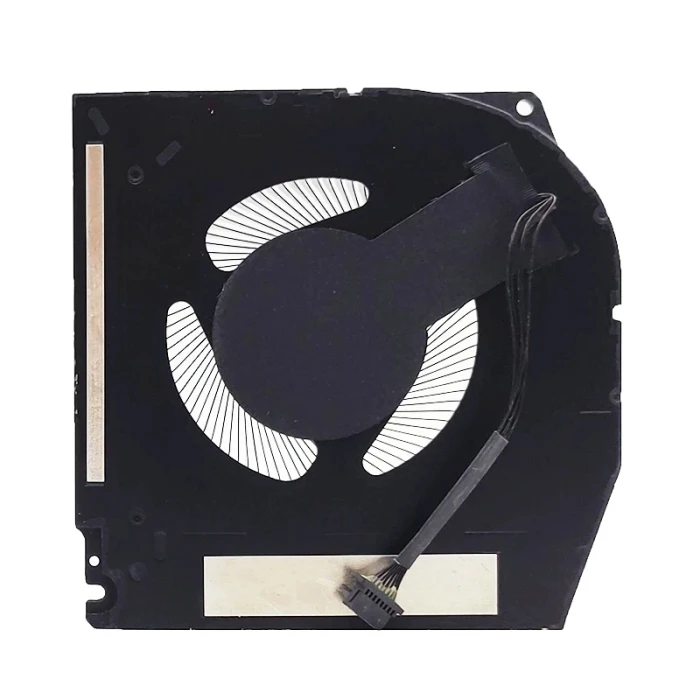
GPU

| Model / PN | P52E001 |
| Condition | NEW |
| Location | shenzhen,China |
Fan Count and Layout: This model is equipped with 4 independent fans, forming a powerful quad-fan cooling system. The motherboard has four corresponding fan connectors: JFAN1, JFAN2, JFAN3, and JFAN4.
Fan Specifications and Design:
All four fans are driven by 12V.
Compared with the previous generation, the fan size (measured by volume) has increased by approximately 32% to deliver greater airflow.
The fan blades and bearing design have been optimized to improve cooling efficiency while controlling noise.
Cooling Architecture: The fans work together with 7 heat pipes and a large vapor chamber to form a complete cooling module. This design is intended to increase airflow by 35% while reducing system noise by 15%.
Performance Release: This powerful cooling system supports a stable total performance power (TPP) of up to approximately 280W–300W for the entire machine.
Disassembly Points: The fan and heat sink are installed as a single assembly (Fan and Heat-Sink Assembly). During removal, you need to first disconnect the cables from the four fan connectors (JFAN1–JFAN4), then remove the 7 M2x3 screws securing the entire assembly.
Thermal Interface Material: Depending on the GPU configuration, the CPU or GPU may use Element 31 thermal paste (a liquid metal thermal interface material). When cleaning or replacing it, be especially careful: do not use alcohol-based wipes, as they may dissolve it into conductive particles and cause a motherboard short circuit.
Compatibility: Because the 2026 model uses an all-new quad-fan design, its fan assembly is very likely not compatible with older models (such as the Area-51m R2's dual-fan or triple-fan design). Pay special attention when purchasing replacement parts.
The cooling configuration of the Alienware 18 Area-51 is very clear: 4 × 12V fans + 7 heat pipes + vapor chamber. There is currently no publicly available part number, so when replacing, always rely on the information on the actual fan label, and pay attention to the special handling requirements for Element 31 thermal paste.
Dell Alienware 18 Area-51 P52E P52E001 GPU FAN original (Part Number: P52E001) is a high‑quality replacement cooling fan engineered for laptop thermal systems. This fan is manufactured to meet the specifications of major OEM brands such as Delta, Sunon, Nidec, AVC, Foxconn, and others. Proper identification of your original fan's brand and part number (PN) is the most reliable way to ensure a perfect match.
Technical Specifications:
Why Brand & PN Matter:
EG50060S1-C710-S9A) uniquely identifies the exact fan model. Matching PN guarantees fitment.How to Identify Your Fan:
Still unsure? Take a clear photo of your fan's sticker (top view) and the connector, then send it to our support team. We'll identify the brand and PN for you, and confirm compatibility.

Every fan we sell is inspected for brand authenticity, PN correctness, voltage/current accuracy, speed (RPM), and noise level. We cross‑check each unit against our compatibility database to ensure it matches the listed specifications and will function correctly in your laptop.