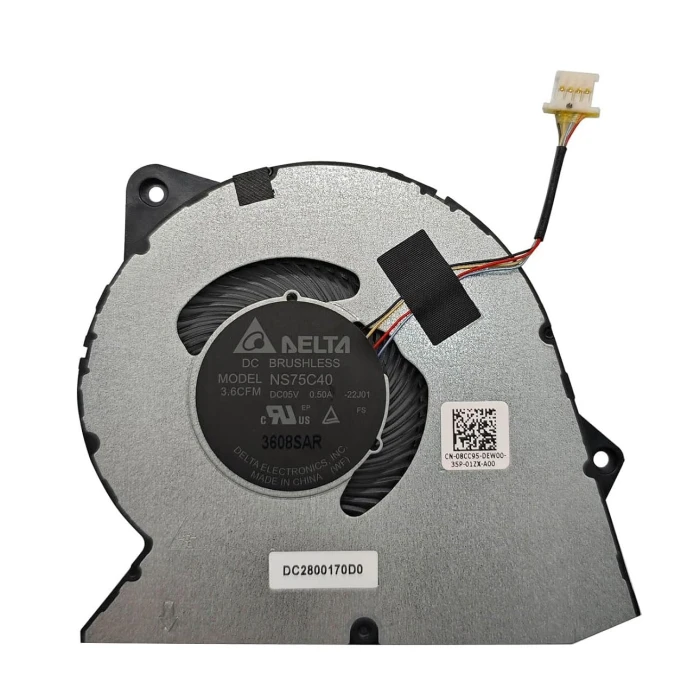

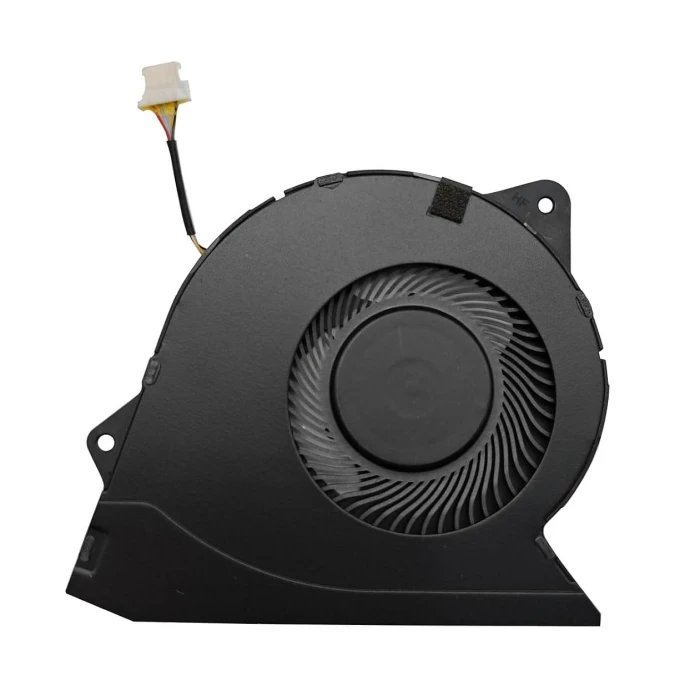
Dell insprion 15 3530 CPU cooling fan system original

Code: LT-10030214 ✅ Ready to ship
‌EUR € 5.40
Model / PN 08CC95
Voltage DC5V, 0.5A
Interface 4 wires 4 pins
Condition NEW
Location shenzhen,China
Shipping Estimate ship from China Click to detect
Calculate Shipping

Core Configuration Overview

This model offers multiple configurations. Below is a summary based on official and third-party data:

  • Processor: Equipped with 13th Gen Intel Core processors. Common options include the i7-1355U (10 cores, 12 threads, up to 5.00 GHz) and the i5-1335U (10 cores, 12 threads, up to 4.60 GHz).
  • Graphics: Optional NVIDIA GeForce MX550 (2GB GDDR6) discrete graphics, or Intel integrated graphics.
  • Display: 15.6-inch, available in FHD (1920x1080) resolution. Some configurations support a 120Hz refresh rate and 250 nits brightness.
  • Memory and Storage: Supports DDR4 3200MHz memory, up to 16GB (2x8GB). Storage typically includes a 512GB M.2 PCIe NVMe SSD.
  • Ports and Connectivity: Includes USB 3.2, USB 2.0, HDMI 1.4, a headphone jack, and an SD 3.0 card slot. Wireless connectivity supports Wi-Fi 6 and Bluetooth.
  • Battery and Dimensions: Built-in 54Wh battery, with a standard 65W adapter. The integrated graphics version starts at approximately 1.65 kg.

Cooling System and Fan Configuration

  • Cooling Solution: Uses a basic single-fan + single-heat-pipe cooling design. The fan blows air across the heatsink fins connected to the heat pipe, and hot air is exhausted from the rear of the laptop.
  • Fan Specifications: The fan is an FCN brand DC 5V 0.5A cooling fan. Common part numbers are 0RFF51 (RFF51) or EG50040S1-CQ71-S9A.
  • Mounting Method: The fan is secured to the palm rest and keyboard assembly with 2 M2x5 screws.
  • Compatibility: This fan is compatible with multiple models, including the Dell Inspiron 15 3510, 3511, 3515, 3520, 3525, and Vostro 3510.
  • Performance Notes: Some users report that the cooling performance of this model may be relatively average, and fan noise may be noticeable under high load or high-temperature conditions. In addition, there have been reports of abnormal fan control after BIOS updates.

Simple Fan Replacement Steps

If you need to replace the fan, you can refer to the following steps based on the official manual:

  1. Preparation: Turn off the computer, disconnect the power, and remove the battery (if removable).
  2. Remove the Bottom Cover: Unscrew all screws securing the bottom cover (including 2 captive screws), then carefully pry along the edges with a plastic pry tool and remove the bottom cover.
  3. Disconnect the Connector: Locate the fan and carefully unplug the fan cable from the connector on the motherboard.
  4. Remove the Fan: Remove the 2 M2x5 screws securing the fan, then gently lift the fan out of its slot.
  5. Install the New Fan: Place the new fan into the slot and align the screw holes, reinstall the 2 screws, and reconnect the cable.
  6. Reassemble: Reinstall the bottom cover, press along the edges until it clicks into place, and finally tighten all screws.

Summary

The cooling system of the Dell Inspiron 15 3530 is relatively simple. Its fan part number (0RFF51) and specifications (DC 5V 0.5A) are very clear, which makes later maintenance and replacement convenient. If you need to find a replacement fan for this model, you can search using the part number above.


Replacement Fan – Brand & Part Number Guide

Dell insprion 15 3530 CPU Fan original (Part Number: 08CC95) is a high‑quality replacement cooling fan engineered for laptop thermal systems. This fan is manufactured to meet the specifications of major OEM brands such as Delta, Sunon, Nidec, AVC, Foxconn, and others. Proper identification of your original fan's brand and part number (PN) is the most reliable way to ensure a perfect match.

Technical Specifications:

  • Part Number / PN: 08CC95
  • Code: LT-10030214
  • Rated Voltage: DC5V, 0.5A
  • Connector Interface: 4 wires 4 pins
  • Product Status: Brand New
  • Warranty: 90‑day replacement

Detailed Specifications

AttributeValue
Compatible part number

DFS5K12114464P

FNRK  DC28000WFF0 

RFF51 

0RFF51 

NS75C40-21K10

Compatible models

Vostro 3420 

Vostro 3250 

Vostro 3510 

Vostro V3420 

Inspiron 3511 

Vostro 15 3525 

Inspiron 15 3515 

Inspiron 15 3510 

Vostro 15 3515

Why Brand & PN Matter:

  • Different brands, different tooling – even if the voltage and connector look the same, the mounting hole positions, fan blade design, and thickness can vary between manufacturers. Always compare physical appearance.
  • PN is the fingerprint – the part number (e.g., EG50060S1-C710-S9A) uniquely identifies the exact fan model. Matching PN guarantees fitment.
  • OEM vs. Aftermarket – original fans (Delta, Sunon, etc.) are typically more durable and quieter, while aftermarket options offer cost savings for older laptops.
  • Sticker variations – the label may change slightly over time, but the underlying PN remains the key identifier.

How to Identify Your Fan:

  • Remove the fan from your laptop (refer to your service manual).
  • Find the manufacturer's logo (Delta, Sunon, Nidec, etc.) and the full part number printed on the sticker.
  • Compare the connector type, pin count, and wire color with our product photos.
  • Check the voltage (V) and current (A) – these must match your motherboard's fan header.

Still unsure? Take a clear photo of your fan's sticker (top view) and the connector, then send it to our support team. We'll identify the brand and PN for you, and confirm compatibility.

Write a review

Please login or register to review
⚠️ Brand & Part Number (PN) Compatibility Check
Your replacement fan must match the original fan's brand, part number, voltage, connector, and physical dimensions.
Different manufacturers (Delta, Sunon, Nidec, AVC, etc.) may produce fans that look similar but have different mounting hole positions and thickness.
Always verify the full part number on your original fan sticker before ordering. When in doubt, send us a photo of your fan for verification.
Fan quality testing

100% Tested – Brand & Performance Verified

Every fan we sell is inspected for brand authenticity, PN correctness, voltage/current accuracy, speed (RPM), and noise level. We cross‑check each unit against our compatibility database to ensure it matches the listed specifications and will function correctly in your laptop.
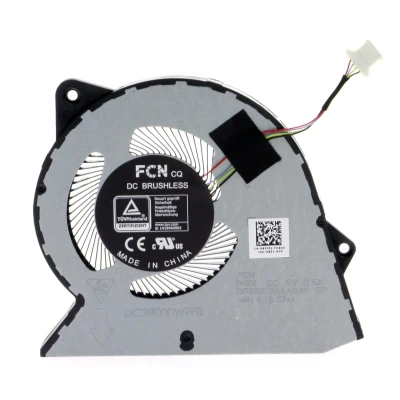
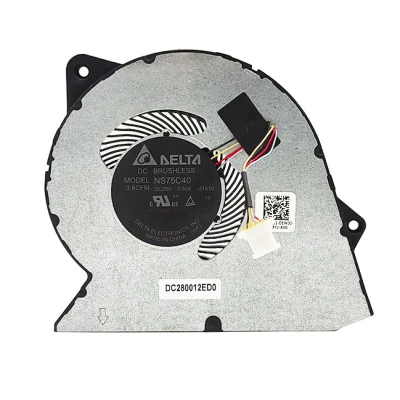
Brand & PN verification Voltage & current test RPM & noise check