CPU
5V

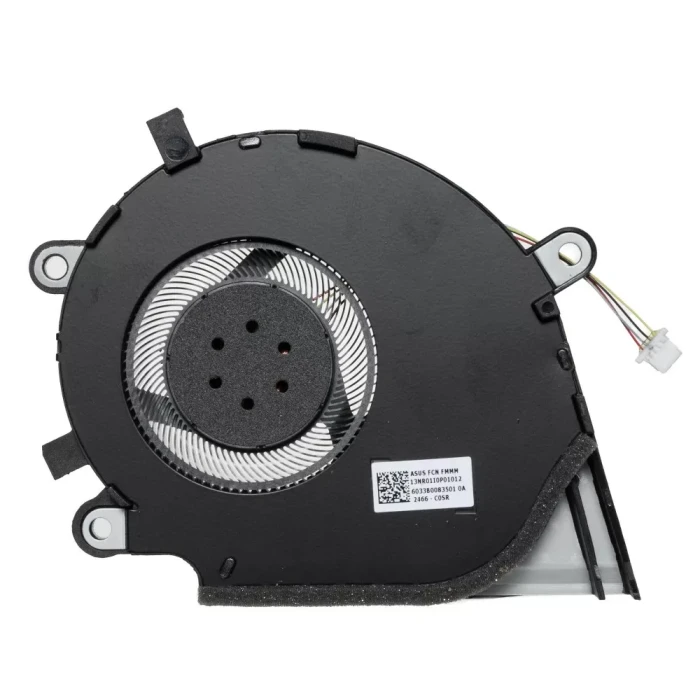
| Model / PN | 13NR01I0P01012 |
| Condition | NEW |
| Location | shenzhen,China |
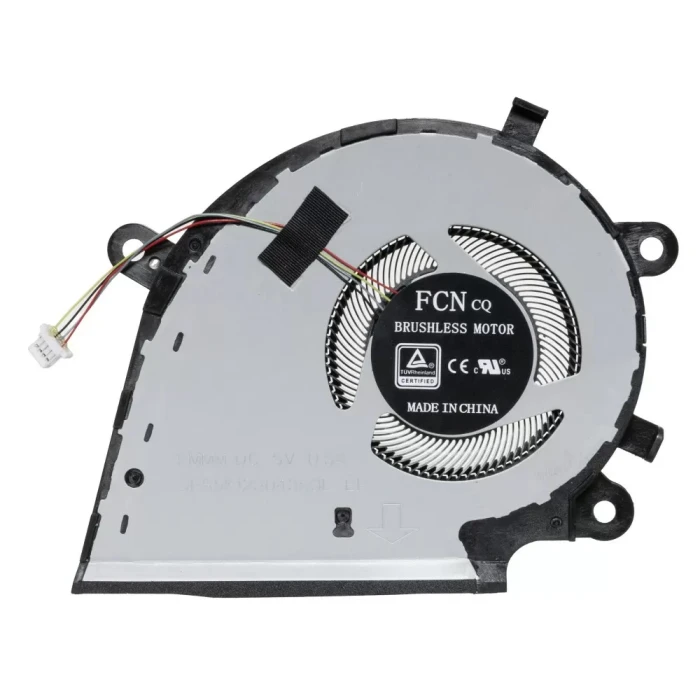
ASUS ROG Strix G531 GL531 G512Li G531G PX531G 13NR01L0T01111 5V CPU Fan original (Part Number: 13NR01I0P01012) is a high‑quality replacement cooling fan engineered for laptop thermal systems. This fan is manufactured to meet the specifications of major OEM brands such as Delta, Sunon, Nidec, AVC, Foxconn, and others. Proper identification of your original fan's brand and part number (PN) is the most reliable way to ensure a perfect match.
Technical Specifications:
| Attribute | Value |
|---|---|
| Compatible part number | 13NR01I0P01012 13NR01I0P01013 6033B0083501 6033B00881010A DFS5K123043060L FN7F DFS5K12304363L FMMM |
| Compatible models | Asus ROG Hero III G531GU Asus ROG Hero III G531GV Asus ROG Hero III G531GW Asus ROG Strix G G531GT Asus ROG Strix G15 G512LI Asus ROG Strix G15 G512LU Asus ROG Strix G15 G512LV Asus ROG Strix G15 G512LW Asus ROG Strix G15 G512LWS Asus ROG Strix G17 G712LU Asus ROG Strix G17 G712LV Asus ROG Strix G17 G712LW Asus ROG Strix G17 G712LWS Asus ROG Strix Hero III G731GT Asus ROG Strix Hero III G731GV Asus ROG Strix Hero III G731GW Asus ROG Strix SCAR 15 G532LV Asus ROG Strix SCAR 15 G532LW Asus ROG Strix SCAR 15 G532LWS Asus ROG Strix SCAR 17 G732LV Asus ROG Strix SCAR 17 G732LW Asus ROG Strix SCAR 17 G732LWS |
Why Brand & PN Matter:
EG50060S1-C710-S9A) uniquely identifies the exact fan model. Matching PN guarantees fitment.How to Identify Your Fan:
Still unsure? Take a clear photo of your fan's sticker (top view) and the connector, then send it to our support team. We'll identify the brand and PN for you, and confirm compatibility.

Every fan we sell is inspected for brand authenticity, PN correctness, voltage/current accuracy, speed (RPM), and noise level. We cross‑check each unit against our compatibility database to ensure it matches the listed specifications and will function correctly in your laptop.